
How to Add an MCP Server to ChatGPT (Step by Step)
Add a remote MCP server to ChatGPT in a few minutes, with no code. The current menu steps, how to use it in a chat, a Search Console example and fixes.
Blog · November 2, 2026
TL;DR: ChatGPT supports remote MCP servers. Go to ChatGPT Plugins, click the plus button, choose Add custom MCP server, paste the server URL, pick the sign-in method and click Create as a plugin. Install the plugin, then type @ in a new chat to use it. No code needed.
Yes, ChatGPT can use MCP servers, and the setup takes a few minutes. This guide follows OpenAI’s “Add custom MCP server” docs as of November 2, 2026. Our worked example is Rankvisit, a read-only Google Search Console MCP server. New to the idea? Read what an MCP server is first.
What you need
You need three things before you start:
- A ChatGPT account that allows custom MCP servers. OpenAI says account and workspace policies apply. Use ChatGPT on the web for the setup.
- The MCP server’s URL. It must be a public HTTPS address that speaks SSE or streaming HTTP. It often ends in
/mcp. For Rankvisit it ishttps://rankvisit.com/mcp. - An account on that server, if it uses sign-in. Most servers with your own data use OAuth, so you sign in once after you add them.
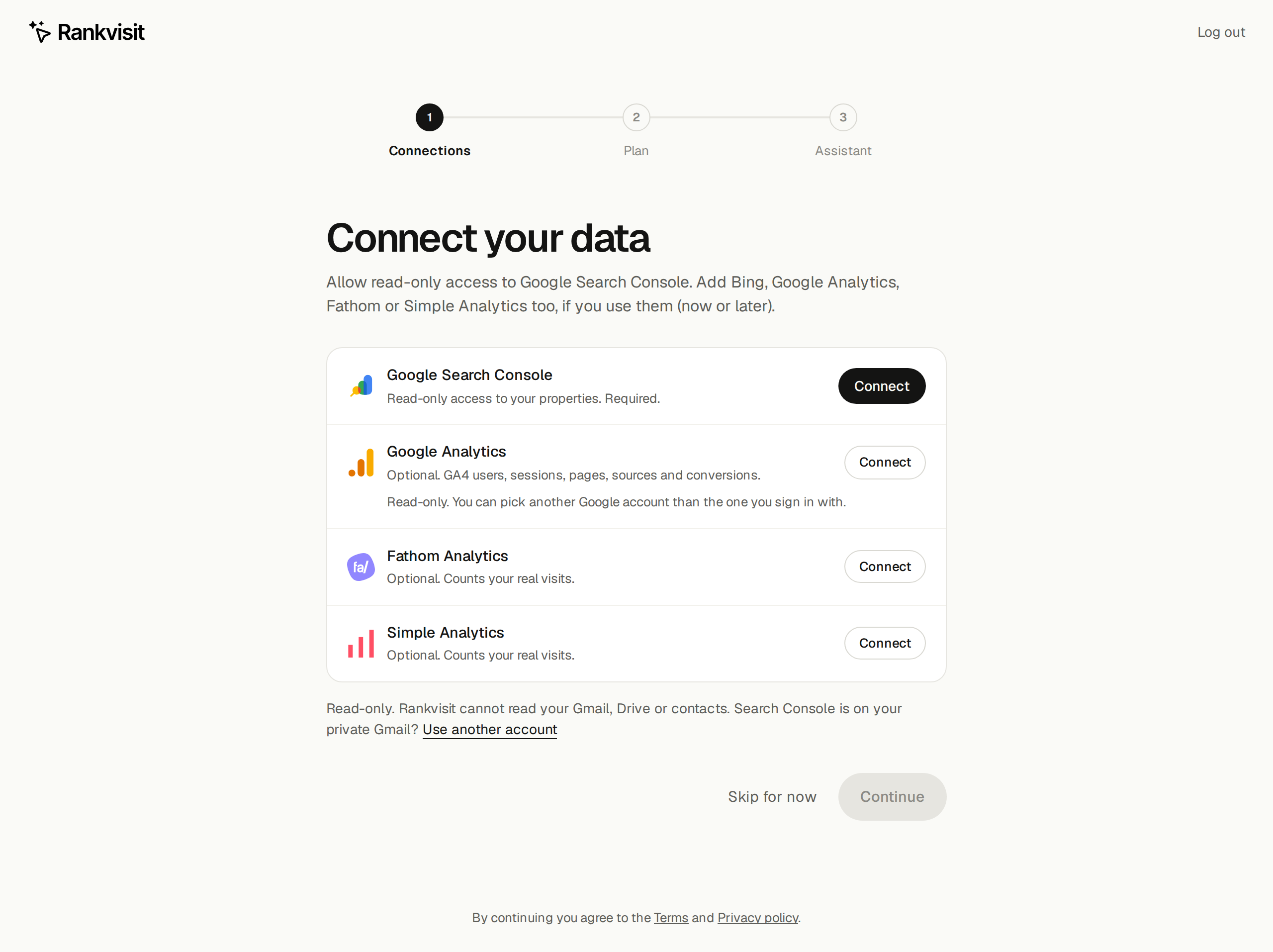
For the Rankvisit example, create the account first. Go to rankvisit.com/sign-in, click Continue with Google, and on the Connect your data screen click Connect next to Google Search Console. This gives Rankvisit read-only access. ChatGPT can only see what you allow here.
Your first 10 questions are free, with no credit card.
How to add an MCP server to ChatGPT
These steps and menu names come from OpenAI’s Add custom MCP server guide.
- Open ChatGPT Plugins. Go to chatgpt.com/plugins in your browser. This page lists your plugins.
- Click the plus button, then Add custom MCP server. A form opens.
- Enter a name and the server URL. Type a name you will recognize, like
Rankvisit. A description is optional. Under Connection, paste the Server URL:https://rankvisit.com/mcp. - Set up authentication. Choose OAuth for servers that need sign-in, like Rankvisit. Choose No authentication only for public test servers.
- Read the risk warning. ChatGPT warns you to only connect servers you trust. If you trust it, click I understand and want to continue.
- Click Create as a plugin. ChatGPT reads the server’s tools and shows them to you. For Rankvisit you see tools like
google_search_console_queryandrankvisit_status. - Install the plugin and sign in. Open your personal plugins, select the new plugin and click the plus button to install it. When ChatGPT asks you to sign in, use the same Google account as in Rankvisit and click Allow.
If ChatGPT cannot connect, check the URL first. It must start with https:// and include the /mcp path.
Use it in a chat
Start a new chat. Type @ in the prompt box and pick your plugin from the list. Then ask your question in plain words.
OpenAI’s plugin quickstart tests this in the Work tab at the top of the ChatGPT home page. If you do not see your plugin after typing @, switch to Work and start a new chat there.
ChatGPT does not always pick the right tool on its own. Name the plugin in your question, for example “Use Rankvisit to…”.
Example: ask ChatGPT about your Search Console data
With Rankvisit added, ChatGPT can answer questions about your Google Search Console data with live numbers. Pick @Rankvisit in a new chat and start with a quick check:
Use Rankvisit to show which Search Console properties you can see.
ChatGPT lists your sites, so you know the connection works. Then ask a real question. Name the site, the period and a page or a number of queries:
- “Use Rankvisit. What are the top 20 queries for example.com in the last 28 days, with clicks, impressions, CTR and position?” You get a table you can sort and discuss.
- “Look at the top 100 queries for example.com/blog in the last 28 days. Which of them rank on page 2?” These are often the easiest wins.
- “Which pages on example.com lost Google clicks in the last 28 days compared to the 28 days before?” ChatGPT compares two periods and lists the change per page.
Why narrow questions? Rankvisit sorts rows by clicks and cannot filter by position. An open question like “which queries rank on page 2” makes the assistant load up to 1,000 rows. Less data means a faster answer.
Your answers use your own live numbers, so they look different for every site. Search Console data is about 2 to 3 days behind; that delay comes from Google. To check a single CTR by hand, use the free CTR calculator.
Custom MCP server, connector, developer mode: which is it?
Today OpenAI calls this a custom MCP server, and ChatGPT saves it as a plugin. Older guides and videos say “connector”, “Apps & Connectors” or “developer mode” for the same idea. The menus moved, but the inputs stay the same: a name, a server URL and a sign-in method. If a guide shows other menu names, follow OpenAI’s current docs.
A plugin can also hold skills, which are saved instructions. You do not need skills to use an MCP server. Building your own plugin or server is a developer topic; OpenAI covers it in the plugins docs.
Troubleshooting
You do not see “Add custom MCP server”. Your account or workspace may not allow custom MCP servers. On a work account, ask your admin. Also make sure you use ChatGPT on the web.
The plugin does not show up after you type @. Check that you installed it from your personal plugins. Then start a new chat, or try the Work tab.
ChatGPT keeps asking you to sign in. Sign in with the Google account you used for Rankvisit and click Allow. If you removed ChatGPT in the Rankvisit dashboard, you need to sign in again. That is expected.
New tools are missing. You added Fathom or Simple Analytics in Rankvisit, but ChatGPT does not see it. Open the plugin in ChatGPT Plugins and click Refresh. ChatGPT then loads the new tools.
ChatGPT reports “free_calls_used_up”. Your 10 free questions are used up. Choose a plan on the pricing page and ask again.
ChatGPT answers without using the plugin. Pick the plugin with @ and name it in your question. You can add “Do not use web search” to keep it on your data.
More fixes are in the Rankvisit docs.
Is it safe?
Only add MCP servers you trust. OpenAI warns that an untrusted server could read what you share or trick ChatGPT into using tools in ways you did not want. Check four things before you add one:
- Read or write? Can the server only read data, or can it change things?
- Scopes: what does the sign-in screen ask for? Allow only what the tool needs.
- Who runs it: a company with a privacy policy and support, or an unknown script?
- Data storage: does it keep copies of your data?
ChatGPT helps a bit here. It asks you to confirm write actions, and it treats tools as read-only only when the server marks them that way (OpenAI docs).
Rankvisit marks all its tools as read-only. It cannot change anything in Search Console, and it does not store copies of your search or analytics data. ChatGPT only sees the properties your Google account can access. You can remove ChatGPT in the Rankvisit dashboard at any time.
Next step
Create a Rankvisit account, add https://rankvisit.com/mcp in ChatGPT Plugins, and ask about your top 20 queries. Using Claude instead? Follow our guide to connect Google Search Console to Claude.
FAQ
Does ChatGPT support MCP?
Yes. ChatGPT can use remote MCP servers that support SSE or streaming HTTP. You add one under ChatGPT Plugins with "Add custom MCP server". ChatGPT turns it into a plugin that you can pick in a chat with @.
Which ChatGPT plans can add a custom MCP server?
OpenAI's developer docs say account and workspace policies apply, but the setup page does not list plans. If you do not see "Add custom MCP server", check OpenAI's help center for your plan, or ask your workspace admin. Rules change often, so check OpenAI's docs on the day you set it up.
Can I use a local MCP server with ChatGPT?
Not with a plain local address. The server needs a public HTTPS URL, or OpenAI's Secure MCP Tunnel for a private server. Plugins that run a local server only work in the ChatGPT desktop app, and OpenAI limits those to approved partners.
What is the difference between a ChatGPT plugin and an MCP server?
The MCP server is the outside service with the tools. When you add it with "Add custom MCP server", ChatGPT wraps it in a plugin. A plugin can also hold skills (instructions). Older guides call the same thing a connector or an app in developer mode.
Can I connect Google Search Console to ChatGPT?
Yes, with a Search Console MCP server. Rankvisit is one. Add https://rankvisit.com/mcp as a custom MCP server, sign in with Google, and ask ChatGPT about your clicks, queries and pages.